
Change the currency on your invoices
You can change the currency on your invoices when you're making an invoice. We'll show you how.
You can change the currency on your invoices when you’re making an invoice. We’ll show you how.
With Conta, you can invoice in whatever currency you need.
Change the currency for one invoice
To create an invoice in a different currency, simply click on the currency dropdown on the right side of the screen:
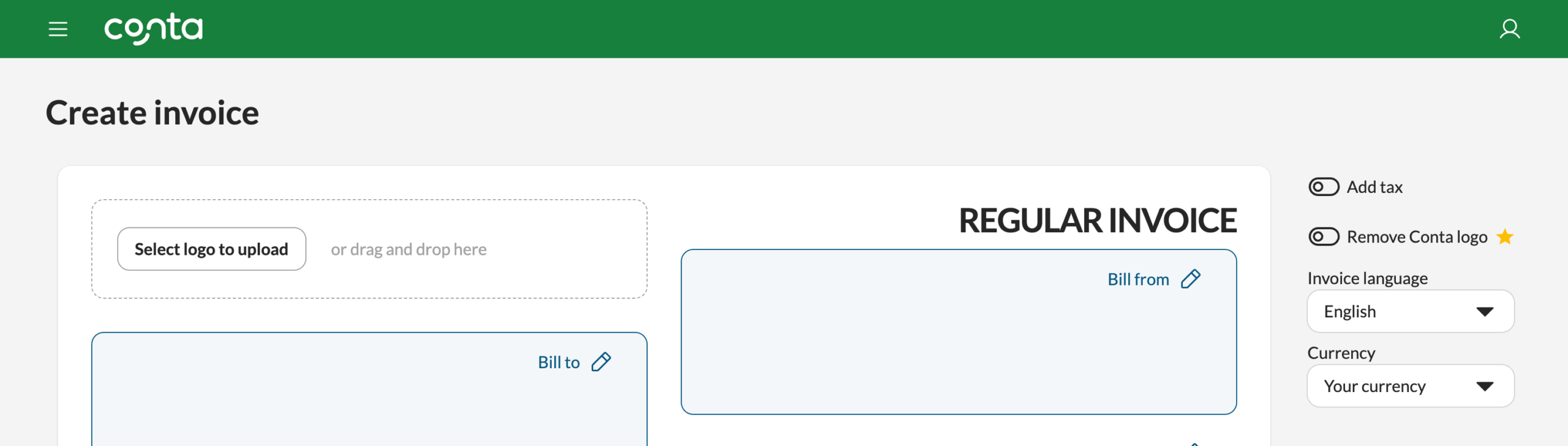
Note that this currency only applies to this invoice. The next time you go to create an invoice, the currency will default to the standard in your country.
Change the currency for all your invoices
To permanently change the currency on your invoices go to your business settings.
You can find your business settings by clicking on your business name in the top menu, and selecting BUSINESS SETTINGS:

Go to Document settings and click the Currency drop-down menu to change the currency on your invoice.
You can choose between all existing currencies. Scroll down and click SAVE after making a currency change:
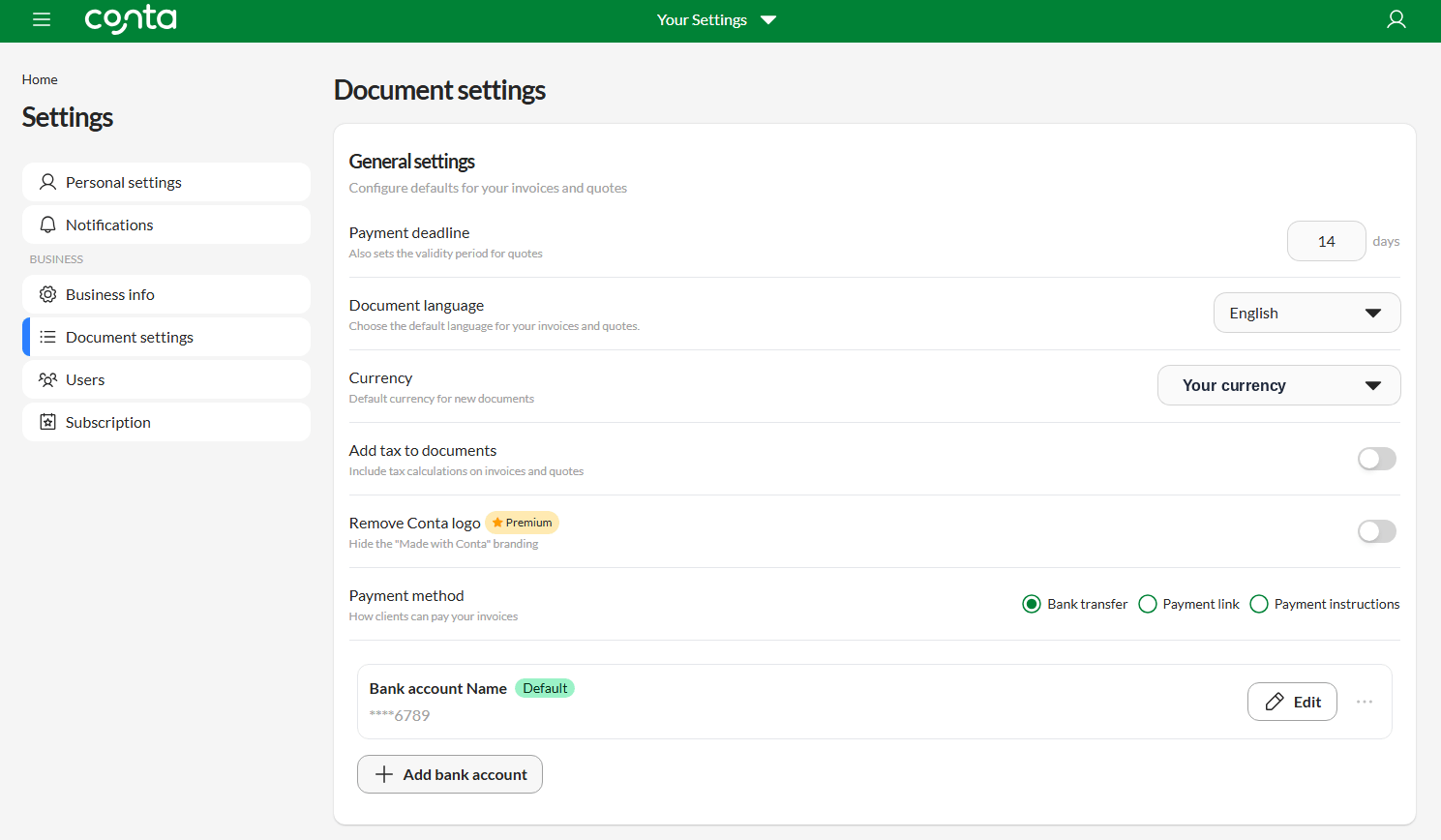
All your future invoice will have this currency. If you want to change to another currency, you can do that for one-off invoices as you’re creating them. If you want to permanently change your currency, simply return to your Document settings and update the currency.